Apple added a new framework in iOS 27 (well silently added in Beta section), and at first glance it might look like another layer on top of Vision. It is already have a lot of capabilities, but the interesting part starts when we stop thinking about one image and where is it on photo.
Media Intelligence works with a collection. It can keep face analysis between launches, group appearances of the same person across different photos, and find useful moments inside a video. Vision gives us observations. Media Intelligence starts connecting them.
Sounds useful, especially for photo-heavy apps. But before we start:
This feature is still in beta and might change before the final release. Warning you as usual.
What It Does
Media Intelligence currently gives us two main analyzers:
FaceGroupAnalyzer
VideoAnalyzer
The names are quite straightforward.
FaceGroupAnalyzer detects faces, stores the results, and tries to group appearances that belong to the same person.
VideoAnalyzer works with requests such as KeyFrameAnalysisRequest and HighlightAnalysisRequest to find representative or interesting moments in a video.
Vision is not going anywhere. It still handles OCR, landmarks, poses, masks, and frame-by-frame analysis. Media Intelligence simply sits one level above and owns a few workflows that otherwise require persistence, matching, and a lot of glue code.
Analysis happens on-device. Face data does not need to be uploaded to a server, and the analyzer can reuse its local index between launches. Nice for privacy, but not a free pass. A generated group is still not a verified identity.
So explain why the app analyzes people, keep user-assigned names outside the analyzer’s working directory, and give users a way to remove generated data.
A Real Device Is Required
The sample targets iOS 27 and exposes only MediaIntelligenceView, so you can present it from an existing app without creating a separate Scene.
And here is the first practical surprise: a supported physical device is required. Run the analyzer in Simulator and you can get a very descriptive “Can’t create context” error. Thank you, beta SDK.
Simulator can still render the surrounding SwiftUI interface, but it does not reproduce the hardware-backed Media Intelligence pipeline. The sample therefore shows ContentUnavailableView when compiled for Simulator:
#if targetEnvironment(simulator)
ContentUnavailableView(
    "Physical Device Required",
    systemImage: "iphone.gen3.slash",
    description: Text(
        "Media Intelligence analysis must be tested on a supported physical device."
    )
)
#else
// iOS 27 content
#endif
There is also no public generic Boolean such as isNeuralEngineAvailable. On a physical device, analyzer initialization or processing can still fail, so the app should treat those errors as a real unavailable state rather than showing an endless spinner.
Now we can finally create the analyzer.
FaceGroupAnalyzer
FaceGroupAnalyzer looks like one type, but it actually handles four different jobs:
ingest image assets;
detect faces;
persist detections;
cluster detections into people.
Face detection itself is not the most difficult part here. Keeping the results stable and grouping them later is where this API becomes interesting. Whole implementation will be provided below. It requires some help-structs so we will focus on main points.
Creating the Analyzer
The analyzer needs a writable working directory. I use Application Support here because this is framework-managed persistent data, not a temporary cache:
Reuse the same directory between launches. Otherwise you lose the main benefit of the framework and start rebuilding the index again and again.
Also, do not put your own files there or try to “fix” its contents manually. The directory belongs to the analyzer.
Stable Asset IDs
The framework gives us a dedicated MediaIntelligenceImageAsset.ID, so I keep it strongly typed instead of converting everything to String too early:
struct Photo: Identifiable, Hashable {
    let id: MediaIntelligenceImageAsset.ID
    let name: String
    let url: URL
    let image: UIImage
}
Assets are then created with the same stable ID:
let assets = preparedPhotos.map { photo in
    MediaIntelligenceImageAsset(
        id: photo.id,
        kind: .url(photo.url)
    )
}
This ID is important. insertOrUpdateAssets(_:) uses it to understand whether the image is new or whether we are updating the same logical asset. Random IDs here would quietly turn every run into another import.
Preparing the Images
For the demo, I use regular PNG files added to the app target. No asset catalog magic here: just photo0.png through photo4.png.
private let resourceNames = (0...4).map { "photo\($0)" }
Finally! With AI I can generate images without copyright and watermarks for testing! Aren't they happy to participate in our testing experiments?!
AI generated demo image with faces
Each file is copied into local folder to use URLs further:
guard let sourceURL = Bundle.main.url(
    forResource: name,
    withExtension: "png"
) else {
    throw DemoError.missingResource("\(name).png")
}

let destinationURL = destinationDirectory
    .appending(path: "\(name).png")

if !FileManager.default.fileExists(atPath: destinationURL.path) {
    try FileManager.default.copyItem(
        at: sourceURL,
        to: destinationURL
    )
}
Why copy them at all? Because FaceGroupAnalyzer works nicely with stable URL-backed assets. This also avoids decoding and re-encoding the same files on every run.
Detecting Faces
insertOrUpdateAssets(_:) returns an asynchronous sequence. Each element contains one asset ID and all faces detected in that asset:
let stream = try await analyzer.insertOrUpdateAssets(assets)
var facesByAssetID: [
    MediaIntelligenceImageAsset.ID: [DetectedFace]
] = [:]

for try await (assetID, faces) in stream {
    facesByAssetID[assetID] = faces.map { face in
        DetectedFace(
            id: String(describing: face.id),
            assetID: face.assetID,
            entityID: face.entityID.map(String.init(describing:)),
            bounds: face.bounds
        )
    }
}
This distinction is easy to miss:
a face ID means one appearance in one photo;
an entity ID means the grouped person across several photos.
So one person can have many face IDs but only one entity ID — at least when grouping works as expected.
Keep Analysis Away from MainActor
The observable model is @MainActor because SwiftUI reads its state. That part is expected.
What we do not want is to accidentally run the whole analysis pipeline on the UI actor. The sample moves that work into a @concurrent function:
@MainActor
@Observable
final class PeopleDemoModel {
    @concurrent
    private func analyzeAssets(
        _ assets: [MediaIntelligenceImageAsset],
        workingDirectory: URL
    ) async throws -> AnalysisResult {
        // Detection and grouping
    }
}
analyze() prepares the inputs and updates UI state. analyzeAssets creates the analyzer, consumes the detection stream, runs grouping, and returns one value that is assigned back on the main actor.
This keeps the heavy work away from the UI actor. Good.
But here is an important naming trap: @concurrent is not an iOS background task. It changes executor behavior, not application lifecycle. A regular Task is still not guaranteed to continue after the app is suspended.
Grouping the Same Person
Detection and grouping are two separate steps. After inserting or changing assets, the analyzer usually becomes stale:
if await analyzer.state == .stale {
    try await analyzer.update()
}
The important states are:
.ready — group assignments are current;
.stale — stored assets changed and grouping should run again;
.updating — grouping is currently running.
After the update, groups are read from allFacesByEntityID and sorted by the number of appearances.
What About Confidence
A natural next question is confidence. How sure is the framework that these two faces belong to the same person?
For now, the public beta API does not expose a numeric score for every assignment. We only get face.entityID.
That means the UI should not pretend to know more than the framework tells us. “People” is fine. “Verified identities” is not. And for a real product, merge, split, and naming tools are not optional polish — they are part of the feature.
Resetting Analysis Data
The reset flow now keeps the analyzer’s working directory and removes only its indexed assets. First, it validates that the path is a directory. Then it creates FaceGroupAnalyzer and calls deleteAllAssets():
let workingDirectory = URL.applicationSupportDirectory
    .appending(path: "FaceGroupData", directoryHint: .isDirectory)

let isDirectory = try? workingDirectory.resourceValues(forKeys: [.isDirectoryKey]).isDirectory

if isDirectory == nil {
    try FileManager.default.createDirectory(
        at: workingDirectory,
        withIntermediateDirectories: true
    )
} else if isDirectory != true {
    throw DemoError.invalidWorkingDirectory
}

let analyzer = try FaceGroupAnalyzer(
    workingDirectory: workingDirectory
)
try await analyzer.deleteAllAssets()
There are two reset levels here.
deleteAllAssets() removes indexed media but keeps the analyzer store alive. FaceGroupAnalyzer.purge(workingDirectory:) is the bigger hammer and removes analyzer-managed data for the directory completely.
For a Reset button inside the demo, deleteAllAssets() is enough. No need to burn the whole house.
VideoAnalyzer
VideoAnalyzer does not build a persistent face database. It runs request objects against a MediaIntelligenceVideoAsset:
let asset = MediaIntelligenceVideoAsset(url: videoURL)
let keyFrameRequest = KeyFrameAnalysisRequest()
let highlightRequest = HighlightAnalysisRequest()

let (keyFrameResult, highlightResult) = try await VideoAnalyzer.shared.analyze(
    asset,
    for: keyFrameRequest,
    highlightRequest
)
KeyFrameAnalysisRequest chooses a representative moment. HighlightAnalysisRequest returns interesting ranges across the timeline.
The app still owns playback, thumbnail generation, and presentation. Media Intelligence gives us the decision, not the complete UI pipeline.
Vision can process frames individually, but then the app owns sampling and temporal aggregation. VideoAnalyzer provides a few timeline-level decisions directly. And no, this part does not group faces from the video 🙂
Complete Example
Now let’s put everything together.
The demo has one public entry view: MediaIntelligenceView. The flow is:
require iOS 27 and a physical device;
load photo0.png through photo4.png from the app bundle;
The model uses explicit states and optional progress:
enum LoadingState: Equatable {
    case idle
    case preparing
    case detecting(current: Int, total: Int)
    case grouping
    case finished
    case failed(String)

    var progress: Double? {
        switch self {
        case let .detecting(current, total) where total > 0:
            Double(current) / Double(total)
        case .finished:
            1
        default:
            nil
        }
    }
}
The current @concurrent function returns one final result, so the UI does not receive real per-asset progress while analysis is running. The state is ready for it, but the pipeline is not there yet.
A next iteration can emit updates through AsyncStream, an actor, or persisted job records. For five demo images this is fine. For five thousand photos, definitely not.
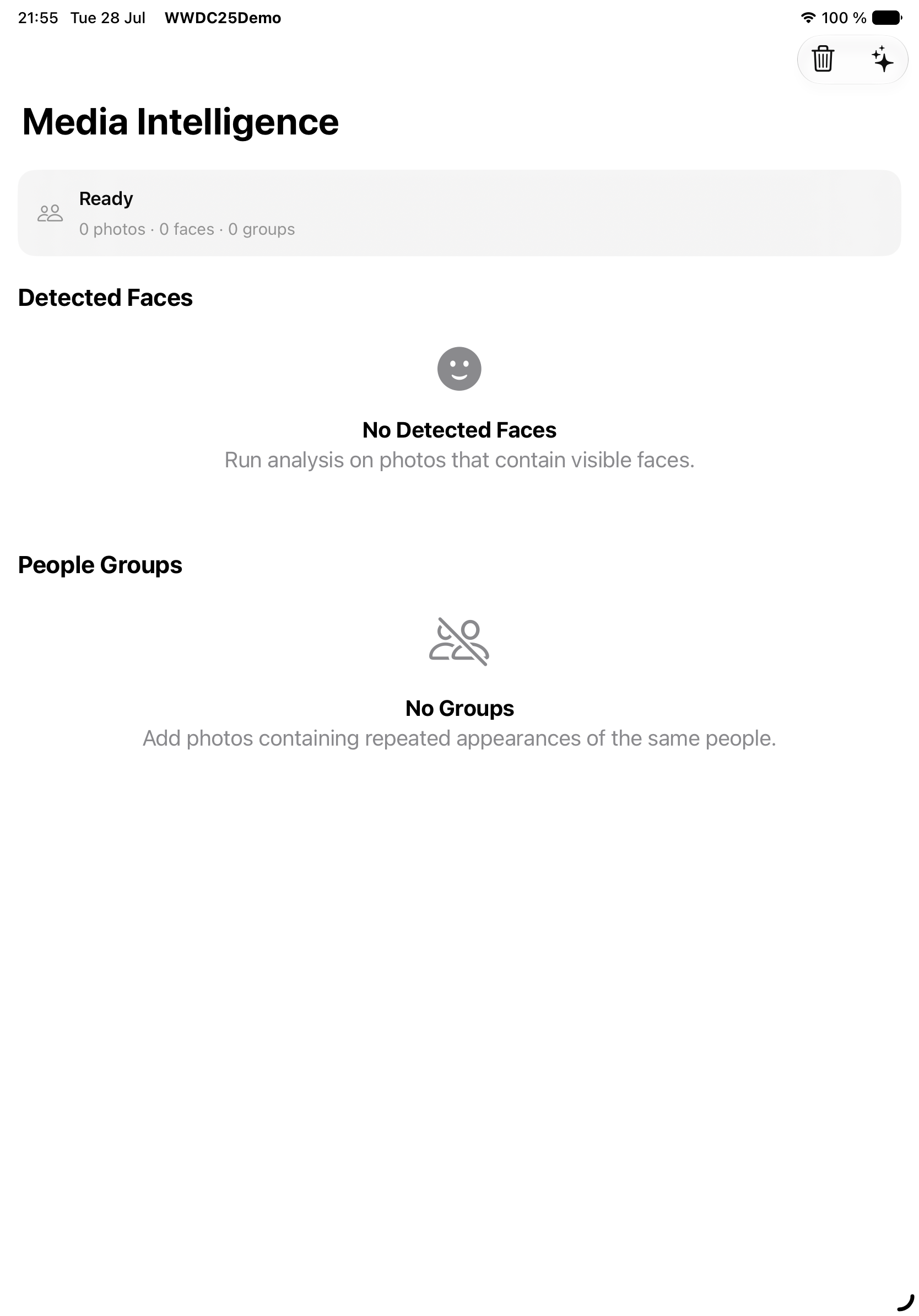
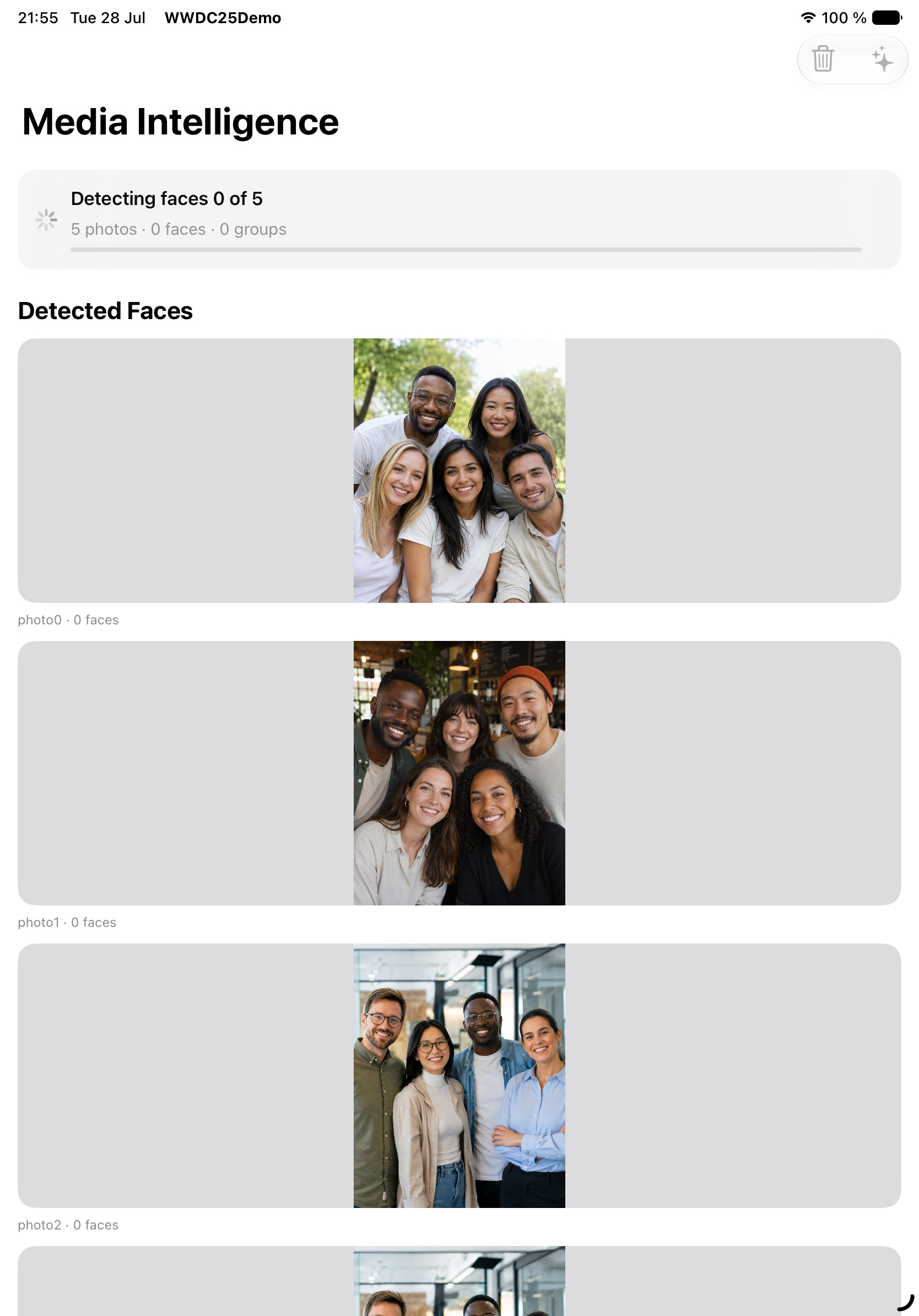
While preparing it will look like this (it’s working pretty fast I would say):
Detecting state
Face Bounds
The sample converts normalized, lower-left-origin face bounds into the displayed aspect-fit image rectangle:
Coordinate systems are always a small adventure, so verify this against the current beta SDK and your own photos.
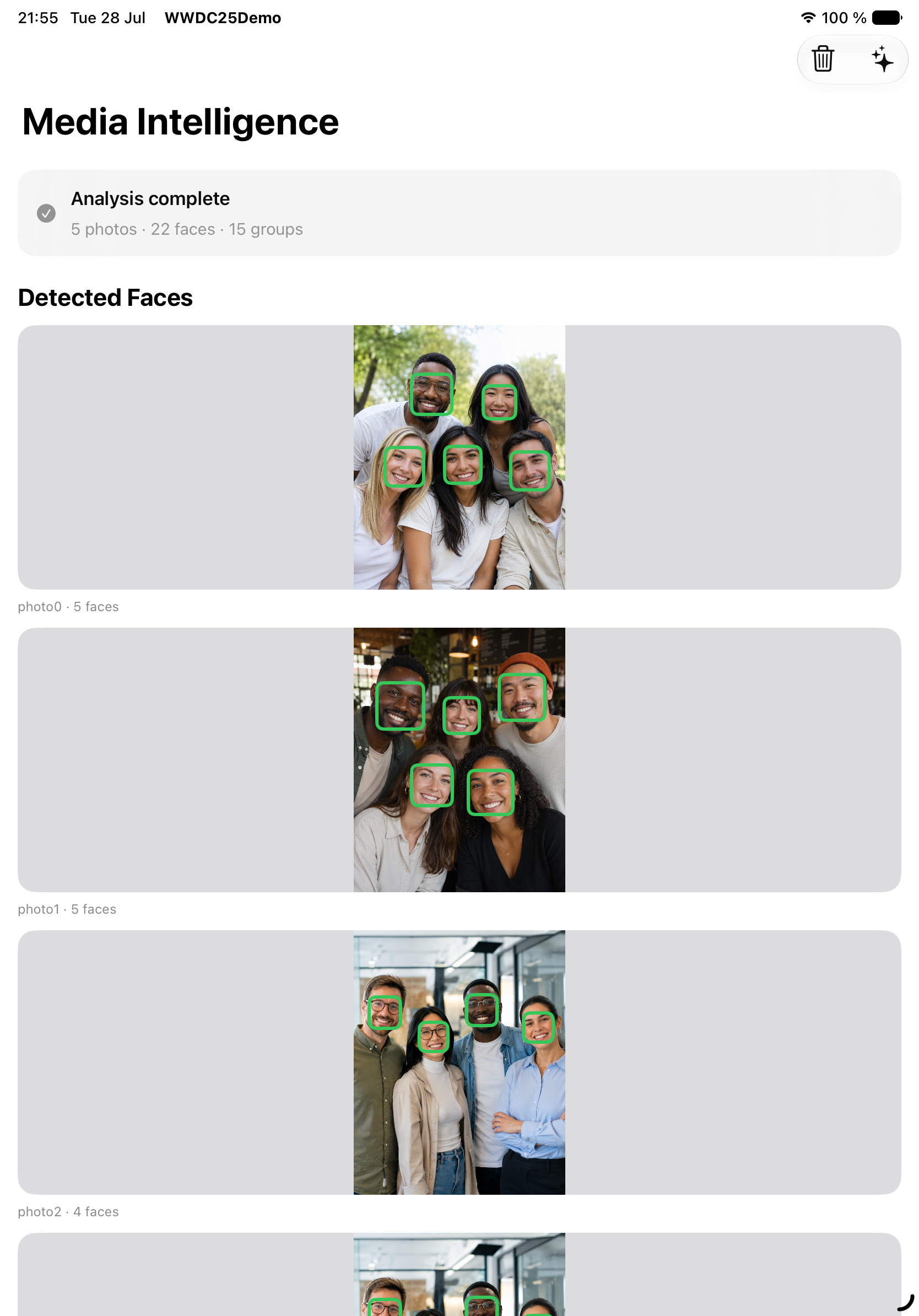
And here we are! I made rectangles with green border so it was not so stressful:
Detected faces state
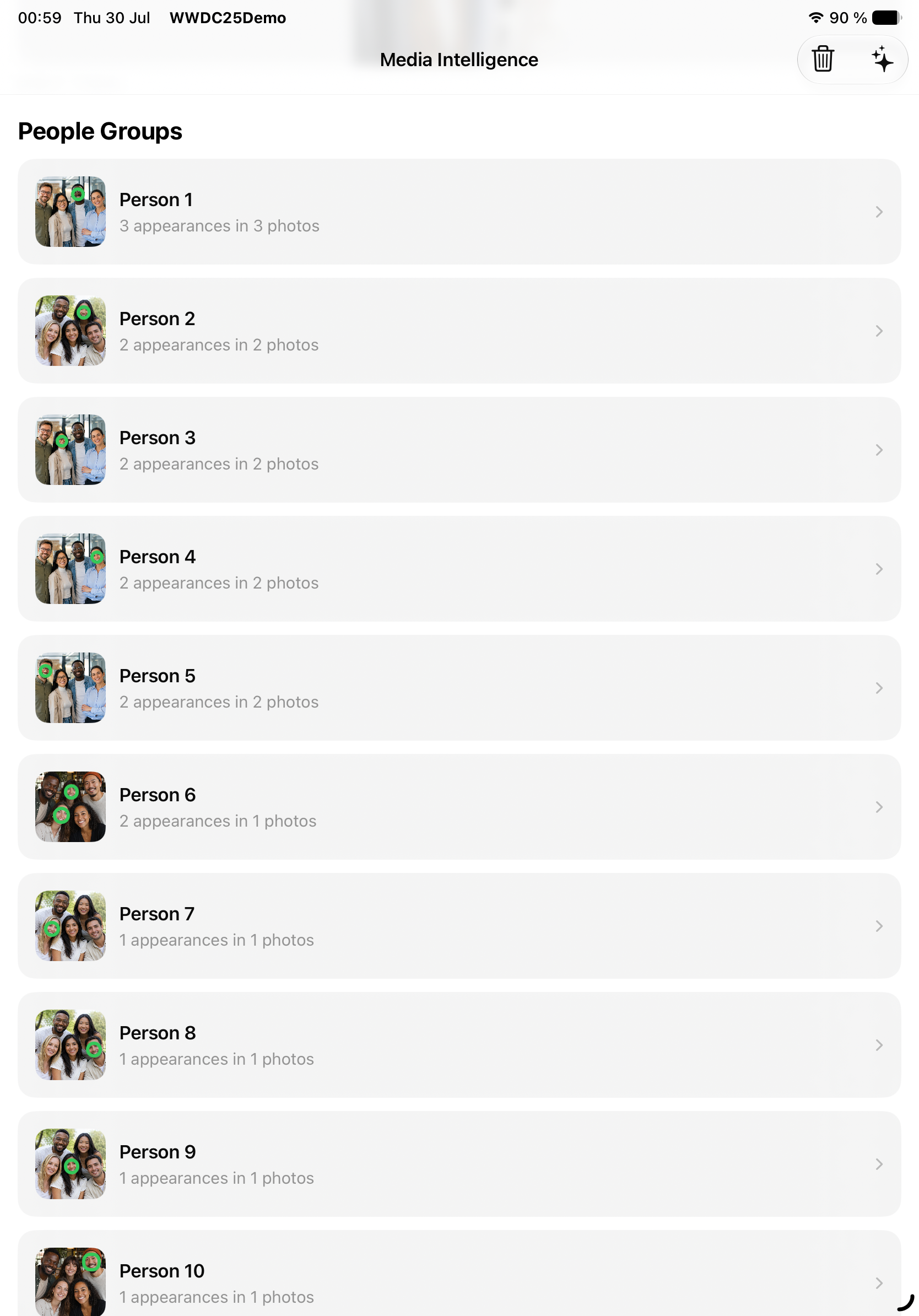
Then this is our groups list:
Faces/Persons grouped by detected ID
and detailed view:
Exact person group
Full code is available here + images are in comment.
Why Not Just Vision
Use Vision when you need direct observations: OCR, landmarks, poses, saliency, masks, or custom frame processing.
Use Media Intelligence when the feature is about relationships across a collection or decisions across a timeline.
It is not a replacement story. The frameworks complement each other.
Why a Separate Framework
Face detection is only the visible part of a People album. Persistence, stable identity, incremental updates, clustering, interruption recovery, and later queries are the less glamorous parts — and usually the expensive ones.
Media Intelligence packages these workflows without turning Vision itself into a stateful database API. This separation makes sense.
Where It Fits
This API makes sense for apps that understand a media collection rather than one isolated image:
family albums
event galleries
trip organization
private photo libraries
selecting every photo containing one person
matching newly imported photos against known groups
automatic video previews
I would not add face grouping only because Apple gave us a new framework. The product still needs a clear reason to analyze people and a clear way to remove the generated data. Otherwise it is just an impressive demo looking for a problem.
Limitations
A group is not a verified identity.
Numeric grouping confidence is not publicly exposed.
One person may be split across groups, or similar faces may be merged.
The app needs its own naming and correction layer.
Realistic testing requires a supported physical device.
Simulator is not a valid performance or capability test.
Beta API names and behavior can change.
Performance Notes
Keep stable asset IDs.
Insert only new or changed assets.
Reuse the analyzer working directory.
Avoid rebuilding the entire index on every launch.
Keep analysis outside MainActor.
Persist progress and make batches idempotent.
Save partial results before expiration.
Test cancellation, suspension, termination, relaunch, and low storage.